
5 Key Fob Tricks Every Mazda Owner Should Know
Modern Mazda key fobs are much more than just a simple key. They are a complex safety and convenience device with features you may not have heard about. We cover five Mazda key fob tricks here, which can help you avoid getting locked out of your car and operate features remotely to make your life a bit easier.
It is worth noting that many of these features depend on your Mazda's year and model, so always check you manual for mroe information.
Hidden Key
Most modern Mazdas can be accessed by pressing the unlock button on the key fob. However, if your key fob malfunctions or the battery has gone flat, you can still get into your car by accessing the hidden key inside. Look for a small latch that needs to be pushed in or pulled. Slide it down, and the key should pop out. Key fobs without a latch or indent may need to be pried apart with a flathead screwdriver.
Start Your Mazda With A Flat Key Battery
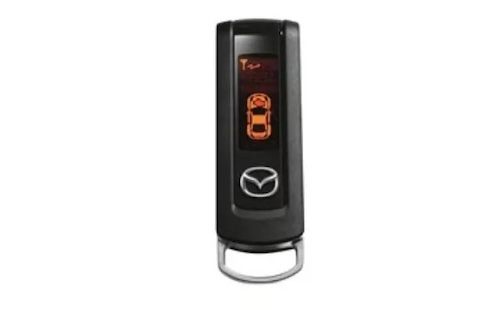
Some Mazdas only have a push-button start system, which means the hidden key is only useful for getting into the vehicle if the key fob battery is flat.
In these cases, you can depress the brake pedal while pressing the key fob against the stop/start button.
This will trigger the chip in your key fob to start the engine, allowing you to get home safely.
Battery Saver Mode
To allow your key fob battery to last longer, you can put it into battery saver mode. Battery saver mode process:
- Press the lock button on the key fob five times.
- Keep holding the button down on the fifth press.
- A light on the key fob should flash to indicate sleep mode is activated.
The key fob will not unlock the doors when in battery saver mode. It will also not start the car unless you put the key fob up to the start/stop button while depressing the brake pedal.
To take the key fob out of battery saver mode, press the lock button four times, holding the button down on the last press.
Automated Window Operation
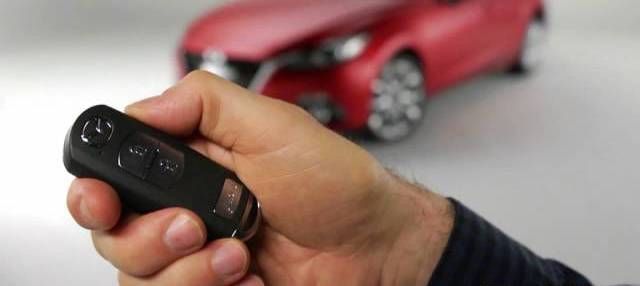
On certain Mazda models you can lower all the window glass from outside the car via the key fob.
- Press the unlock button on the key fob four times.
- Keep holding the button down on the fourth press.
- The longer you hold the button down, the lower the side windows will go.
It is not possible to raise the windows via the key fob, so make sure you close them again before walking away from the car.
Panic Button
On certain Mazda models, the key fob has an extra button with an exclamation mark (!). If you are in danger or need assistance, pressing this button for one second or longer will activate the alarm, horn, and hazard warning lights.
This will continue for 2 minutes and 30 seconds and can be canceled by pressing any button on the key fob.
Where Should I Buy A Replacement Mazda Key Fob?
You should always buy replacement parts for your Mazda from reputable OEM parts suppliers. Complex electronic components like your Mazda key fob should never be purchased from aftermarket sources as they may not work properly and can damage your vehicle.
REALMazdaParts sells only OEM components that are guaranteed to fit and work exactly as the manufacturer intended. Every key fob and component we sell is sold at wholesale prices and is backed by Mazda’s manufacturer warranty.
REALMazdaParts Key Fob Resources
| Mazda Key Fob Buyer's Guide |
| Mazda Key Fob Battery Replacement |
| Are OEM Mazda Key Fobs Better Than Aftermarket? |
| What Is A Key Fob And Why Is It Important? |
| How To Reprogram Your Mazda 3 Key And Fob |
Order Your OEM Key Fob From REALMazdaParts
Always replace your old or broken components with OEM parts that are guaranteed to fit perfectly and work as the manufacturer intended.
At REALMazdaParts, we sell genuine components at wholesale prices backed by Mazda’s manufacturer warranty. We have been selling genuine Mazda parts online since 2014 and we stock a full range of key fobs, keys, keyless entry transmitters, and many other components for a wide range of Mazda models.
Use our VIN decoder to find the right key fob for your Mazda the first time. Feel free to contact our knowledgeable team if you need any assistance.